Can I plug UPS into PDU?
People often ask if a UPS can be directly connected to a PDU (Power Distribution Unit). The answer depends on safety and best practices. Always ensure the power connections...


+86 15867381241
A power bar allows you to connect multiple devices simultaneously. A surge protector looks similar to a power strip but has more functions. It can protect electronic devices from damage caused by voltage surges.Many people confuse these two products. Choosing the wrong product can damage your electronic devices. The table below shows the differences between them:
| Feature | Power Strip | Surge Protector |
|---|---|---|
| Function | Increases the number of outlets | Prevents voltage spikes |
| Protection | No protection | Yes, prevents power surges |
| Cost | Usually lower price | Usually higher price |
Understanding this information will help you make an informed choice. It will also keep your electronic devices safe.

A power strip is also known as a power board. It allows people to connect multiple electronic devices to a single wall outlet. According to electrical safety organizations, a power strip is a portable outlet box used to connect devices. They connect to branch circuit outlets. These devices allow multiple devices to draw power from the same power source. Most power strips operate at 250 volts AC or less and 20 amperes or less. They must comply with safety regulations, such as the UL 1363A standard, especially in hospitals. The terms ‘power strip’ and “power board” are used interchangeably to refer to the same thing. Both provide additional outlets, but neither prevents power surges.
Power strips have several main uses in homes, schools, and offices. The table below lists the main functions and their meanings:
| Function | Description |
|---|---|
| Multiple Device Connection | Allows multiple devices to be connected to a single outlet, making it easier to use multiple electronic devices together. |
| Outlet Expansion | Increases the number of available outlets in a room or workspace. |
Power strips do not prevent voltage surges. Their primary function is to provide more power outlets for everyday use.
People use power strips wherever they need more power outlets. Students use them in dorm rooms to connect desk lamps, laptops, and chargers. Offices use power strips to connect computers, printers, and monitors on desks. Homes use them in living rooms or kitchens to connect TVs, game consoles, and small appliances. Power strips help organize wires and keep spaces tidy. They are best suited for connecting low-power devices that do not require surge protection.
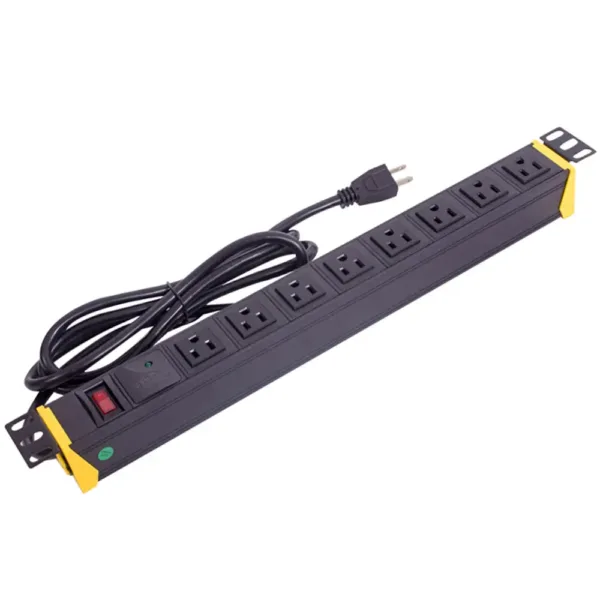
A surge protector protects electronic devices from damage caused by sudden voltage spikes. Some people think it’s just like a power strip, but that’s not the case. A surge protector does more than just provide extra outlets. It prevents power surges that can damage computers, televisions, and other devices. When a power surge occurs, the surge protector acts like a shield, blocking or diverting the excess current. This helps prevent fires and extends the lifespan of electronic devices. People use surge protectors to protect valuable items.
Surge protectors have special components inside to handle power surges. These components provide a path for the excess voltage, diverting it away from electronic devices. They convert the excess voltage into current and direct it to the ground wire. This prevents the surge from damaging your equipment. Surge protectors are the first line of defense against surges. They can absorb harmful energy even from large surges. Some surge protectors plug directly into wall outlets, protecting individual devices. Others are installed in electrical panels, protecting entire rooms or buildings. Newer surge protectors use self-healing components and nanomaterials. These technologies help extend the lifespan of surge protectors and improve their performance.
| Innovation Type | Description |
|---|---|
| Self-healing surge protection | Able to repair itself after minor damage, thus extending its lifespan. |
| Nanomaterial application | Uses special materials to improve performance and reduce size. |
| Standardized and modular design | Facilitates component replacement and can be used in various systems. |
People use surge protectors in many places. Home offices need them to protect computers and printers. Living rooms use surge protectors to protect televisions, game consoles, and sound systems. Kitchens use them to protect microwaves and refrigerators. Schools and businesses use surge protectors to protect projectors, servers, and other electronic equipment. Surge protectors are especially important in cases of lightning strikes or line faults. They can prevent power surges at any time. Surge protectors are also used in sensitive environments such as hospitals and data centers. Using a surge protector is a smart way to protect your electronic equipment and ensure its safe operation.
Tip: Be sure to check if your equipment needs a surge protector, especially if the equipment is expensive or difficult to replace.
Power strips and surge protectors work differently. A power strip simply provides more outlets; it does not protect your devices from power surges. A surge protector protects electronic devices from sudden voltage spikes. These voltage spikes can occur during thunderstorms or when large machinery is switched on or off. Surge protectors use special components to block or divert excess current, thus protecting computers, televisions, and other devices.
The table below compares their protection functions:
| Feature | Surge Protector | Power Strip |
|---|---|---|
| Voltage Spike Limiting | Yes | No |
| Transient Overvoltage Protection | Yes | No |
| UL 1449 Compliant | Yes | No |
| Surge Limiting Components | Yes | No |
| Overload Protection Circuit Breaker | Optional | Yes |
Surge protectors adhere to strict safety standards, such as UL 1449. Power strips follow other standards, such as UL 1363. If you want to protect your electronic devices from power surges, use a surge protector.
Power strips and surge protectors may look the same externally, but their internal structures are quite different. Surge protectors contain special components called metal oxide varistors (MOVs). These components absorb and divert excess voltage when a power surge occurs. Surge protectors usually have indicator lights to show whether they are functioning correctly. Power strips do not have these components or indicator lights; they simply provide more outlets.
The table below shows the main internal differences:
| Component Type | Surge Protector | Power Strip |
|---|---|---|
| Voltage Protection | Yes, uses MOV to clamp surges | No protection |
| Indicator Light | Yes, usually labeled ‘Protected’ | Usually none |
This means that only surge protectors can protect your equipment from damage during a power surge.
Surge protectors are typically more expensive than regular power strips. The higher price is due to the special components inside surge protectors. These components help prevent power surges. Regular power strips are less expensive because they lack these safety components. When you buy a surge protector, you’re paying for extra safety protection. For simple appliances like lamps or fans, a regular power strip is sufficient. However, for expensive electronic devices, a surge protector is the best choice.
Note: Spending a little more on a surge protector can protect your devices from damage, saving you money on future repairs.
You can distinguish between regular power strips and surge protectors by a few features. Surge protectors usually have an indicator light that displays “protected.” This indicator shows whether the surge protection function is working correctly. If the light is green, it means the device is protecting your electronics. If the light is red or off, it means the protection function may be malfunctioning. Surge protectors typically have a label indicating compliance with the UL 1449 standard. Regular power strips usually lack these labels or indicator lights.
The following table can help you identify each device:
| Indicator Type | Description |
|---|---|
| Indicator Lights | Surge protectors typically have an indicator light showing the protection status. Green indicates normal operation, while red or off indicates a fault. |
| UL Rating | Surge protectors should have a UL 1449 certification label, and regular power strips should have a UL 1363 certification label. |
Always check these labels before purchasing. This helps you choose the right device for your needs.
Understanding the difference between a regular power strip and a surge protector is crucial. Power strips or power bars provide more outlets. Only surge protectors protect your devices from power surges. Understanding these differences helps you make informed choices and protect your electronics.
Before choosing a power strip or surge protector, you should carefully consider your needs. Look at the devices you use, such as computers and chargers. The layout of your room is also important if you need multiple outlets or USB ports. Safety is paramount for protecting electronic devices from voltage fluctuations. The surge protector’s rating (in joules) indicates the amount of energy it can withstand. Design and portability are also important for tight spaces or situations where devices are frequently moved.
| Factor | Description |
|---|---|
| Safety Certifications | UL certified products reduce the risk of fire and electric shock. |
| Electrical Ratings | Wattage or amperage ratings indicate the power the device can handle. |
| Device Types | Do not use power strips for high-power appliances. |
| Surge Protection Rating | Lower clamping voltage ratings indicate better surge protection. |
| Multiple Device Usage | Connecting too many devices can overload the power strip or circuit. |
| Home Wiring Considerations | If circuit breakers trip frequently, it may mean you need more outlets or an upgraded circuit. |
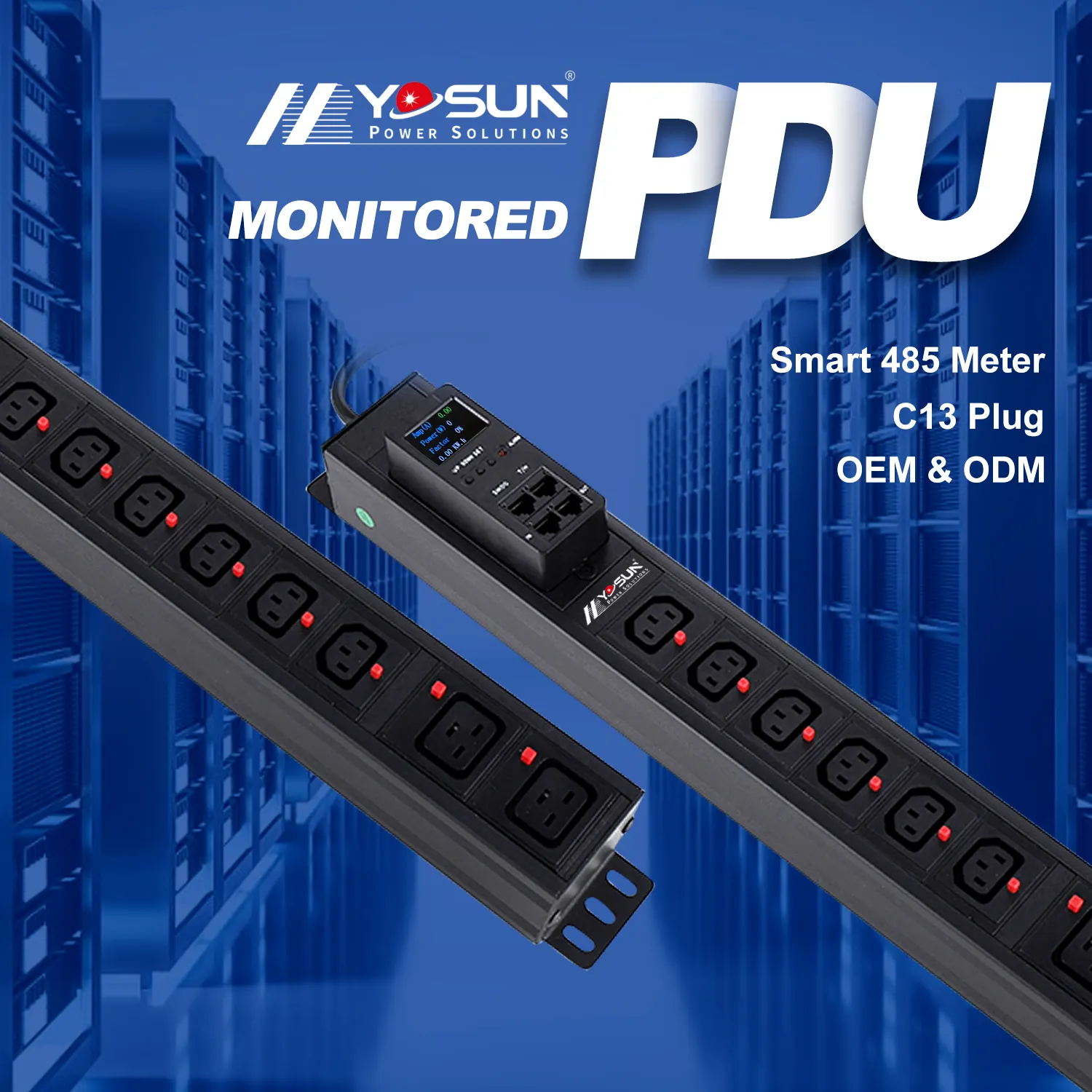
For critical locations like data centers, YOSUN PDUs provide secure power and allow you to monitor power consumption.
Before purchasing a power strip or surge protector, ask yourself some key questions. These questions can help you choose the product best suited to your needs.
| Question to Ask | Explanation |
|---|---|
| How many outlets do I need? | Enough outlets prevent frequent plugging and unplugging of appliances. |
| What type of surge protector is best? | Homes need surge protector power strips; data centers need rack-mounted protectors. |
| What is a suitable power cord length? | A suitable power cord length allows for easy connection to outlets without stretching. |
| What is the joule rating? | A higher rating provides better protection, especially for expensive electronics. |
| Does it have widely spaced outlets? | Widely spaced outlets accommodate larger plugs without blocking other outlets. |
| Does it offer data line protection? | This protects phone lines and network cables from power surges. |
| Does it support USB charging? | Sufficient current allows you to charge your devices faster. |
| What safety features does it include? | Safety latches or locking mechanisms protect children and extend the lifespan of your devices. |
| Does it have indicator lights? | LED indicators show whether the surge protector is working correctly. |
| Is it UL certified? | UL certification means the device meets safety standards. |
Electrical safety organizations offer advice on using power strips and surge protectors. Do not overload circuits; understand the power consumption of each device. If you use multiple power strips, you may need more outlets. Surge protectors only protect the devices plugged into them, not the entire circuit. After a large power surge, you may need to replace the protector. Some surge protectors also protect phone lines and network cables. Always buy equipment that suits your needs.
People often confuse power strips and surge protectors, which can lead to unsafe use of electronic devices. Plugging too many devices into a power strip can cause it to overheat. High-power appliances should not be used with power strips, as they can cause fires.
Tip: Always check the labels and safety features before plugging in valuable electronic devices. After a large power surge, replace the surge protector to ensure continued effective protection.
Many people use power strips because they are convenient. But many overlook the dangers involved. If you don’t use a surge protector, your electronic devices may be damaged. Power strips are easily overloaded. This happens when you plug in devices that consume a lot of power. Overloading can cause fires. Some people believe that every power outlet provides surge protection. This is not true. Power outlets can degrade in performance if used frequently or exposed to moisture and heat. Misusing power outlets, such as daisy-chaining multiple outlets or using them in damp environments, can lead to fires or electric shock.
| Risk Type | Description |
|---|---|
| Overload Risk | Power outlets are easily overloaded, especially when connecting high-power appliances, increasing the risk of electrical fires. |
| False Sense of Security | Many users mistakenly believe that all power outlets provide surge protection, but this is not the case. |
| Wear and Tear | Frequent use or exposure to high temperatures and humidity can cause power outlets to degrade over time. |
| Improper Use | Misuse, such as daisy-chaining multiple outlets or using them in damp areas, can lead to fire or electric shock. |
Surge protectors help address these problems. They block sudden power surges, protecting equipment from damage. Surge protectors also prevent minor voltage fluctuations, thus extending the lifespan of electronic devices. Studies show that businesses can lose up to 4.5% of their funds annually due to electronic equipment failures. Using appropriate protection devices can save money and avoid costly repairs.
Some electronic devices are more susceptible to damage from power surges. Devices with specialized components, such as HDTVs and gaming consoles, require extra caution. Security systems, wireless access points, and outdoor cameras also need surge protection. Without a surge protector, these devices may stop working or malfunction.
Surge protectors help prevent major malfunctions and extend the lifespan of your devices. They reduce the gradual damage caused by power surges, ensuring that your electronic equipment functions properly. A surge protector should be used for any expensive or difficult-to-replace equipment. Choosing the right protection helps safeguard your devices and save money.
Tip: Always use a surge protector for valuable electronic devices to prevent damage and extend their lifespan.
Electrical safety organizations point out that power strips and surge protectors are different. Power strips provide more outlets for connecting more devices. Surge protectors also provide more outlets, but more importantly, they protect devices from power surges. Power strips cannot prevent voltage spikes. Surge protectors are designed to block sudden fluctuations in current. Power strips only have simple outlets and power cords. Surge protectors are equipped with special components such as metal oxide varistors (MOVs), gas discharge tubes, or diodes. Power strips are usually less expensive. Surge protectors are more expensive due to their additional safety features.
When choosing a power strip, check its joule rating and the number of outlets. Also, check for safety labels, appropriate cord length, and clamping voltage. Regularly inspect your equipment to ensure its safety. Good protection helps extend the lifespan of your electronic devices.
Tip: Choose a power strip or surge protector that is suitable for your devices. This will ensure the safe and long-term operation of your electronic equipment.