How to Use PDUs for Efficient Crypto Mining in 2025
Optimize crypto mining in 2025 with the red panda mining pdu. Ensure efficient power distribution, reduce energy waste, and protect your mining rigs.


+86 15867381241
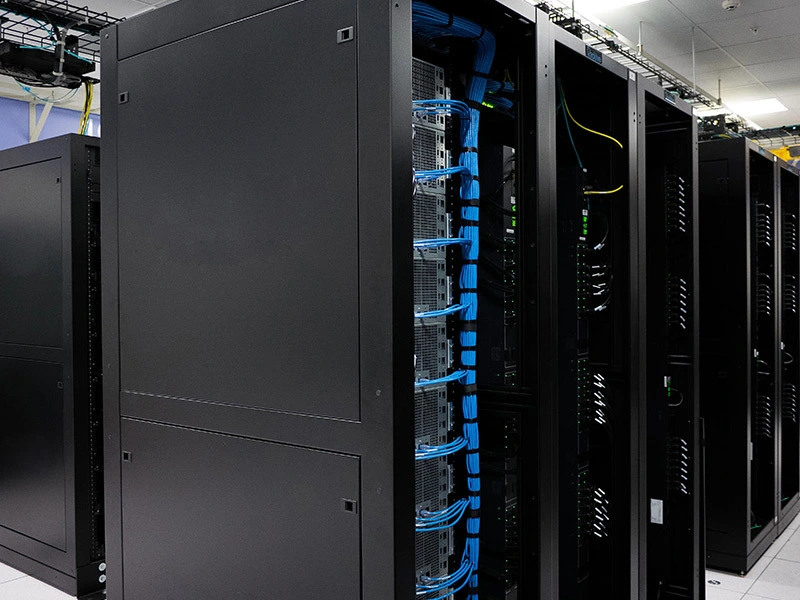
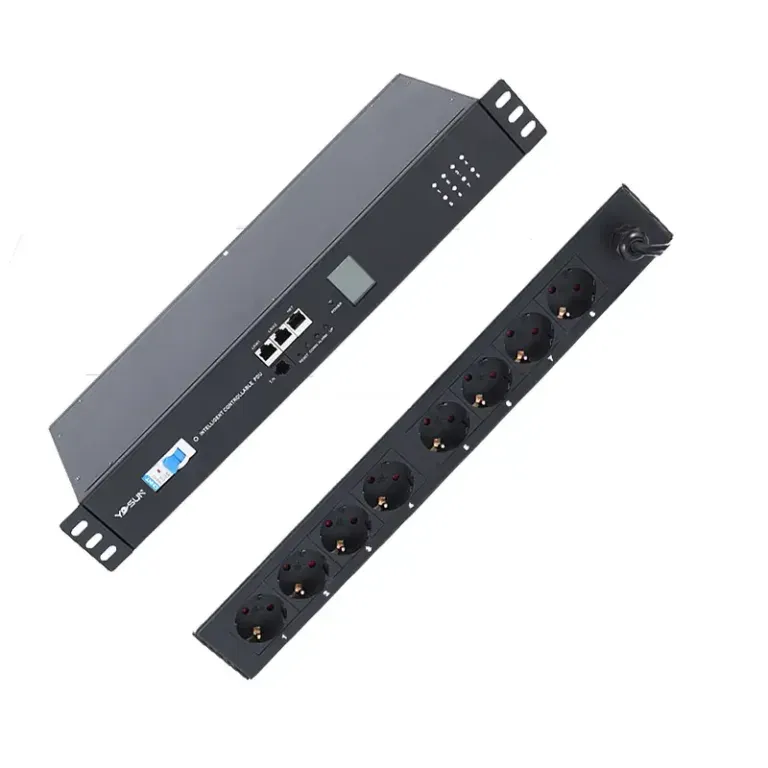
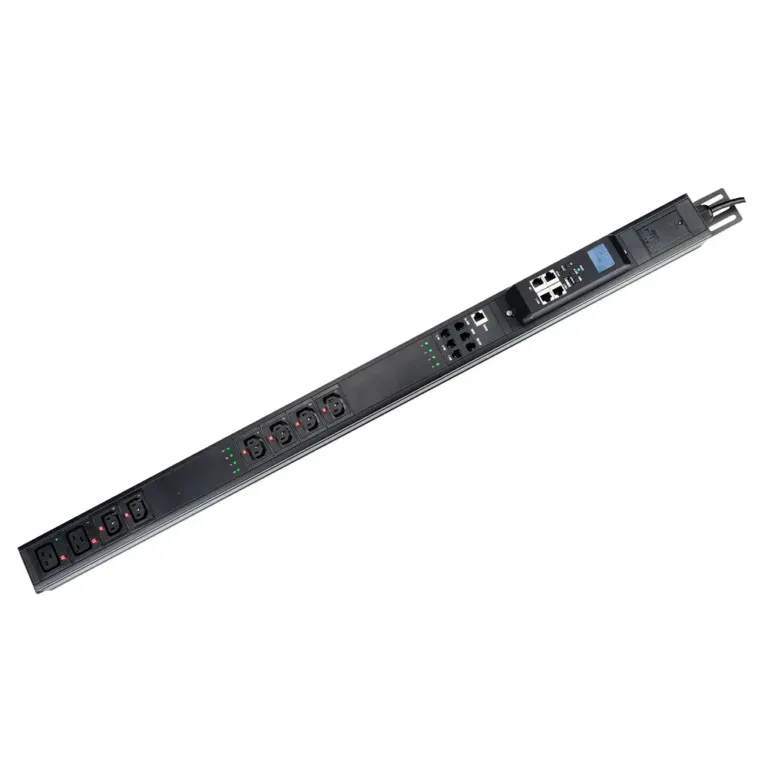
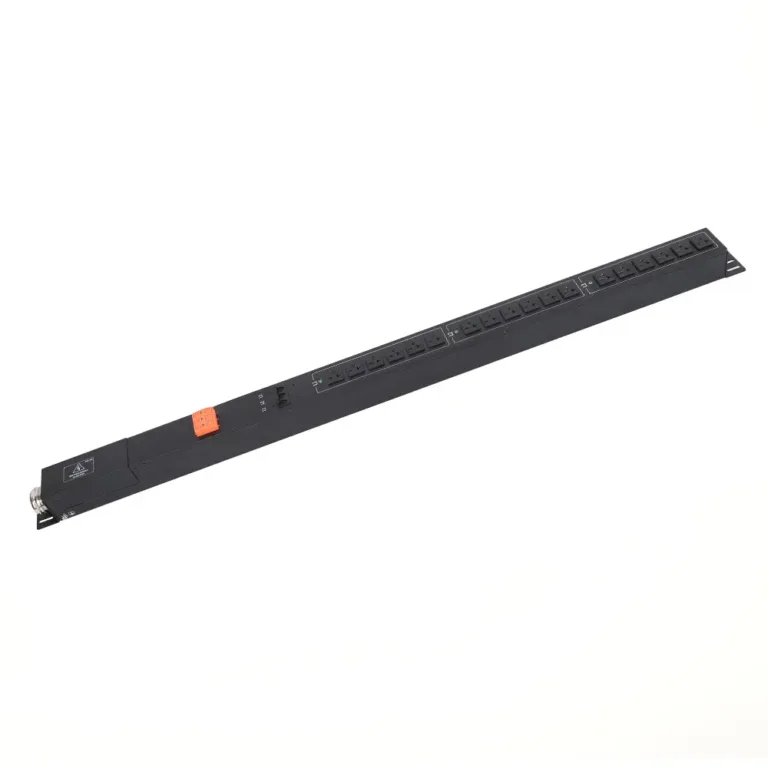
Remote PDUs are intelligent power distribution units. They allow administrators to monitor and control power from anywhere. This technology is crucial because it ensures servers and network equipment remain operational even during power outages. Many data centers use remote PDUs to save energy and resolve issues quickly.
Remote PDU technology enables IT teams to continuously monitor the operational status of racks. They can use smart sensors to check temperature, humidity, and airflow. These sensors send alerts if problems such as overheating or water leaks occur. Operators gain a comprehensive view of data center operations. This helps them detect changes promptly and address risks before they escalate into serious problems.
| Data Type | Description |
|---|---|
| Environmental Factors | Tracks factors such as temperature, humidity, smoke, and water leaks to ensure proper equipment operation. |
| Power Usage Metrics | Displays real-time power consumption for each outlet for better load balancing. |
| Alarm Notifications | Sends alerts for power issues and limitations, helping teams take quick action. |
Remote PDU systems also monitor the environment. This helps teams identify potential hazards and protect IT equipment. With remote monitoring, operators can understand the health of their equipment without being on-site.
Tip: Monitoring critical factors like cooling and humidity helps extend equipment lifespan and avoid costly downtime.
Power control is a key function of every remote PDU. Teams can turn devices on or off anytime, anywhere, without having to go to the server room. This saves time and reduces energy costs. Remote power management allows teams to change settings according to their needs. They can restart devices, power them up sequentially, and control each outlet for optimal results.
Remote PDU solutions help businesses reduce energy consumption. They monitor power usage and show where energy is being wasted. This means lower electricity bills and is also good for the environment.
Remote PDUs do more than just supply power. They also act as an early warning system. Real-time monitoring continuously checks voltage, temperature, and humidity. If anything is out of the ordinary, the system sends an alert immediately. Users can set their own alert thresholds. This means teams can be aware of problems before they escalate.
Reporting features make remote PDU solutions even more comprehensive. Smart PDUs collect data over time. Operators can view trends and make more informed decisions about the power needed. Comprehensive reporting helps teams plan and ensure everything is running smoothly.
Note: Smart reporting tools provide operators with the information they need to ensure the system is running correctly and to prepare for the future.
Remote Power Distribution Units (PDUs) help systems run better and maintain stable operation. They provide IT teams with real-time data on power and environmental conditions. This allows teams to identify problems early and resolve them quickly. Teams can remotely restart devices, preventing downtime before it occurs. Intelligent monitoring helps plan for future needs and save energy.
| Improvement Type | Description |
|---|---|
| Enhanced Monitoring Capabilities | Real-time power checks and data collection help teams manage issues before they arise. |
| Improved Uptime | Remote restarts and alerts prevent downtime by addressing problems early. |
| Better Capacity Planning | Checking each outlet helps teams understand power usage and better configure equipment. |
| Energy Savings | Monitoring trends helps teams reduce energy consumption and lower costs. |
IT administrators use smart PDUs to monitor the power of each device and PDU. This helps them take action before problems escalate. For IT teams with multiple sites, solutions that reduce downtime are crucial. Remote management is essential for effectively managing numerous smaller locations.
Remote PDUs make the work of IT teams easier. They allow teams to manage power from anywhere, so employees don’t need to travel to the server room. Teams can control each outlet and change settings as needed. Smart PDUs work with network systems to display all power usage.
Remote PDUs also provide teams with more options. Teams can monitor the power of each device and make quick changes to save energy. They can remotely cycle power and receive overload alerts. Administrators can set power cycling for unused devices, saving energy. Proper power configuration helps reduce costs and improve efficiency.
Remote PDUs are highly reliable and secure. They use real-time monitoring and alerts to ensure system security. Outlet-level power cycling and load balancing prevent overloads. These features make remote PDUs superior to traditional PDUs.
| Feature | Remote PDUs | Traditional PDUs |
|---|---|---|
| Real-time monitoring | Yes | No |
| Remote management | Yes | Limited |
| Proactive alerts | Yes | No |
| Outlet-level power cycling | Yes | No |
| Load balancing | Yes | No |
| Energy consumption tracking | Yes | No |
Safety features protect equipment and personnel. Staged power-up sequencing controls when devices power on, preventing sudden power surges. Outlet locking ensures unused outlets are secure, allowing only authorized devices to access power.
Tip: Good power management ensures IT systems run smoothly and protects critical equipment.
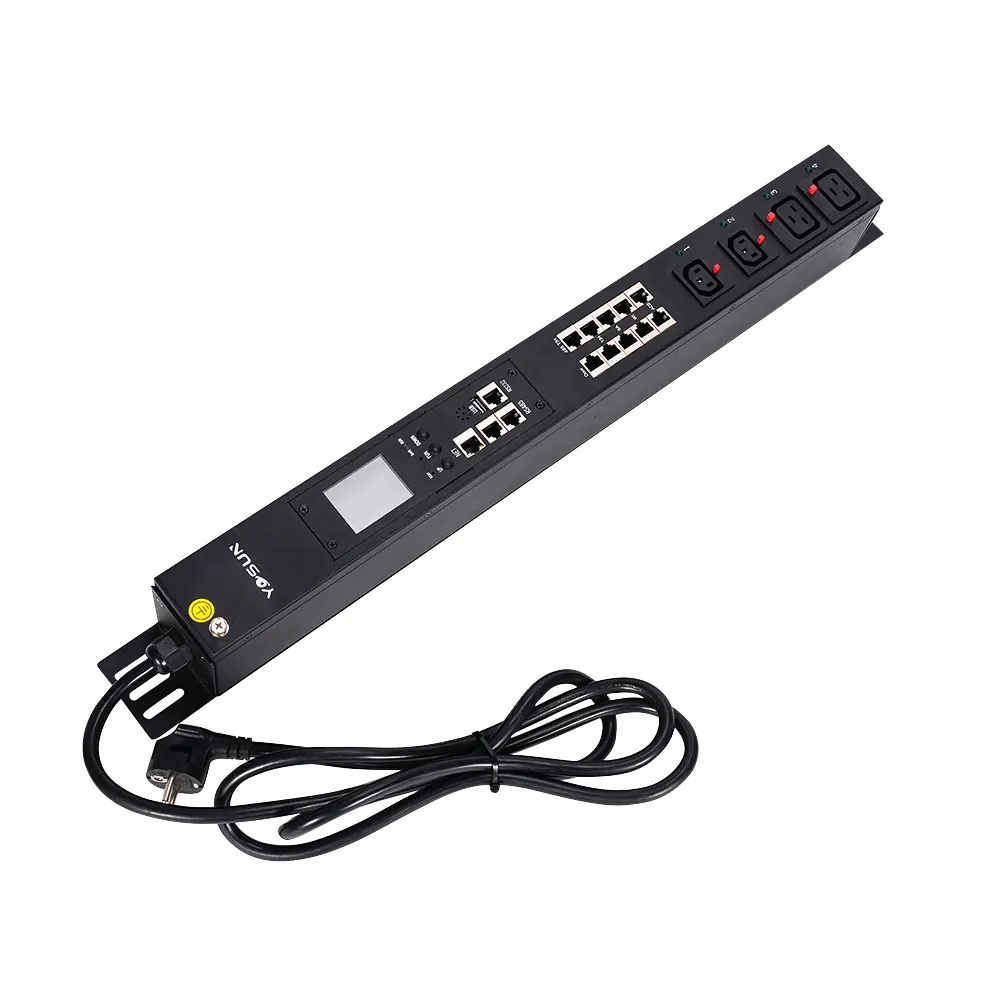
Data centers must ensure servers run 24/7. They use remote PDU solutions to monitor power and control equipment from anywhere. This helps teams quickly resolve issues and prevent downtime. Remote PDUs allow staff to power devices on or off without being physically present. They also send alerts if there are problems, so teams can take quick action. Many data centers choose remote PDUs to save energy and protect their critical hardware.
Tip: Using remote PDUs in data centers helps teams keep systems secure and ready to respond to any issues.
Server rooms are often cramped spaces with limited staff. They need tools that allow for easy and quick power management. Remote PDUs allow teams to remotely control devices, check energy usage, and receive alerts. This saves time and ensures servers run smoothly.
| Feature | Description |
|---|---|
| Remote Reboot Functionality | Allows users to remotely reboot devices, saving time and effort on troubleshooting. |
| Power Monitoring | Monitors power consumption at each port, helping with better power management. |
| SNMP Integration | Allows for automated control and checking of the PDU, and sends alerts for hardware issues and alarms. |
Teams can use remote PDUs to reboot servers without entering the server room. They can see the power consumption of each device and receive warnings when help is needed. This makes server rooms safer and more efficient.
Edge sites are small locations geographically distant from main office locations. These sites often lack on-site IT personnel. Remote PDUs can solve many problems for these sites. They allow teams to control power and troubleshoot from anywhere.
| Challenge | Mitigation by Remote PDUs |
|---|---|
| Power Management | Remote PDUs monitor power and set alerts to prevent overloads and ensure continuous equipment operation. |
| Lack of Local IT Expertise | Switched remote PDUs allow teams to remotely control and restart equipment without requiring on-site personnel. |
| Environmental Factors | Remote PDUs can use sensors to detect temperature and humidity and warn users if problems arise. |
With remote PDUs, edge sites can stay online and secure. Business operations can continue smoothly, even in hard-to-reach locations.
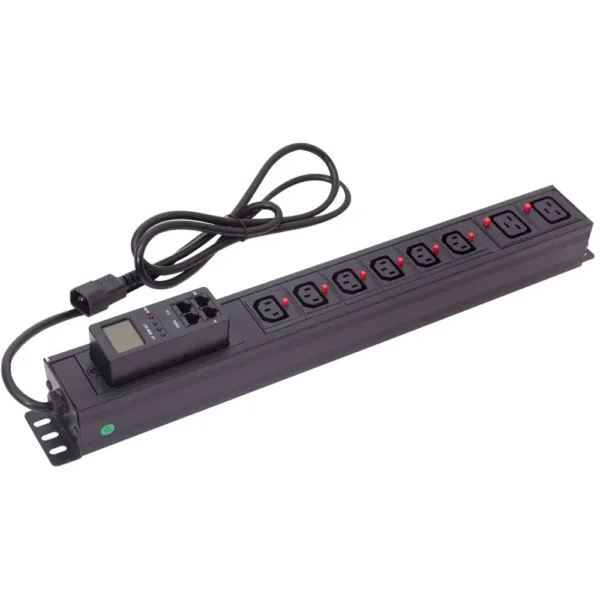
Remote PDUs use smart technology to connect power equipment and IT devices. This allows teams to monitor and control power from anywhere. These devices use a secure network to protect data privacy and system operation. Many remote PDUs use out-of-band management. This means they can still function even if the main network is down. This feature helps teams maintain control during power outages or emergencies.
The table below explains how remote PDUs establish secure and reliable connections:
| Feature | Description |
|---|---|
| Integrated Solutions | A centralized platform provides secure remote access and control for all PDUs. |
| Automatic Discovery | The system automatically discovers new power devices, saving time and effort. |
| Centralized Control | Teams can manage devices, update software, and check power from one location. |
| Out-of-Band Management (OOB) | An independent network maintains access even if the main network fails. |
| Remote Recovery Actions | Teams can restart devices or revert updates from anywhere. |
Remote PDUs communicate with other devices using common communication protocols, such as Modbus. These protocols help devices share important data. Modbus can run on various networks, such as TCP/IP and UDP. This makes it easy for teams to connect multiple devices in different locations.
Remote PDUs perform best when integrated with a management platform. These systems allow teams to view and control all power devices on a single screen. Platforms like Nodegrid can help teams automate tasks and work seamlessly with other software. Teams can manage power across multiple sites, even those located far apart.
Teams gain even more advantages when they connect remote PDUs to a DCIM platform. These tools can help teams balance power loads, plan for the future, and save energy. Real-time monitoring shows power consumption for each device. Environmental sensors can reduce cooling costs by up to 15%. Using DCIM tools can also improve energy efficiency by 20%. This benefits both the environment and saves money.
Tip: Teams using remote PDUs with a management system gain better control, improved efficiency, and enhanced security for their IT equipment.
Choosing the right remote PDU can transform how businesses manage power. For optimal results, teams need to consider compatibility, scalability, security, and support.
The remote PDU should be compatible with the current IT setup. It also needs to be able to meet future needs. Teams should check the following:
Scalable PDUs allow businesses to easily add more devices. Modular design makes upgrades simple. Teams can add new equipment without causing overloads or downtime.
Tip: Planning for growth in advance saves money and avoids problems later.
Security protects critical equipment from threats. The best remote PDUs have robust features to prevent unauthorized access.
| Security Feature | Description |
|---|---|
| Password Policy | Strong passwords and regular password changes protect the system. |
| Firewall | Access control determines who can use the PDU. |
| Defense in Depth | Lockout and session timeouts prevent attacks early on. |
| Certificates | Digital certificates protect connections from hackers. |
| Authentication and Access Control | Multi-factor authentication and user roles limit user privileges. |
Teams should choose PDUs with advanced security features to ensure network security.
Every business has different power needs. Top suppliers like YOSUN offer various customization options:
| PDU Series | Customization Feature Description |
|---|---|
| Basic | Provides reliable power for simple setups. |
| Metered | Power metering helps better manage loads. |
| Monitored | Remote monitoring helps reduce downtime. |
| Switched | Remote outlet control provides more options. |
| Switched Metered-by-Outlet | Real-time monitoring and control for each outlet. |
YOSUN uses a clear customization process. Customers can choose plug types, add overload protection, or request intelligent monitoring. YOSUN’s ISO9001, CE, and UL certifications demonstrate its high quality and safety.
After-sales support is equally important. YOSUN provides installation assistance and technical support to ensure long-term customer satisfaction.
Note: Choosing a supplier with good support and certified products means reliable power supply for years to come.
Remote PDUs allow IT teams to control power and equipment from anywhere. This tool helps teams improve efficiency, reduce costs, and prevent problems.
When choosing a remote PDU, teams should select one with good monitoring capabilities, strong support, and customizable features. Choosing a reputable supplier is crucial. Making a smart choice now ensures system security and prepares for the future.
Remote PDUs allow teams to control power from anywhere. They can quickly check, manage, and restart equipment. This helps keep systems running and reduces downtime.
Yes! The team uses remote power distribution units (PDUs) to monitor energy usage and shut down unused equipment. This reduces electricity costs and contributes to environmental protection.
Most remote PDUs are easy to install. The team simply follows the easy steps and can get assistance from suppliers like YOSUN. Quick setup means more time saved.
Remote PDUs send alerts and use outlet locking features. These features protect equipment and prevent electrical hazards.
Any business with servers, data centers, or edge sites can use remote PDUs. They help improve system efficiency, save energy, and ensure security.