Top Zero U PDU Brands and What Sets Them Apart
Compare top Zero U PDU brands like APC, Eaton, and Vertiv. This guide reviews key specifications, power capacity, and outlet types to help you select the right model.


+86 15867381241
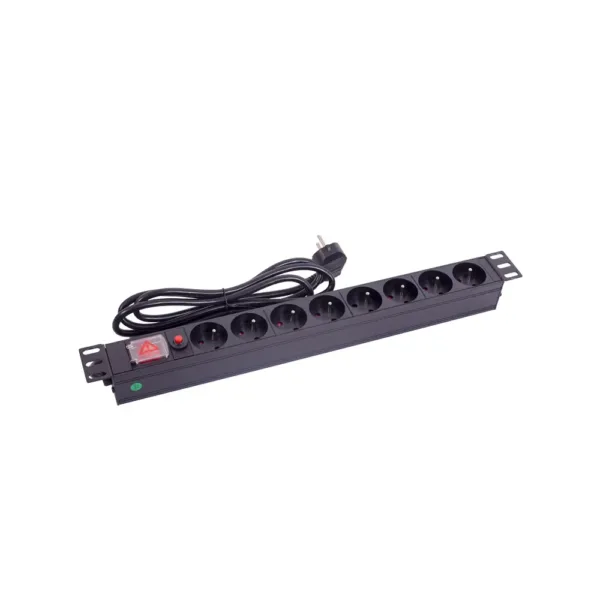
Reliable power distribution helps ensure the safe and stable operation of equipment. YOSUN provides trustworthy PDUs, offering intelligent solutions and customization options. Industry experts recommend taking the following steps to balance the power supply to your PDU:
If you do not balance loads right, power is uneven. This makes things less reliable and less efficient. PDU problems cause 52% of data center outages. This shows it is risky to ignore balance.
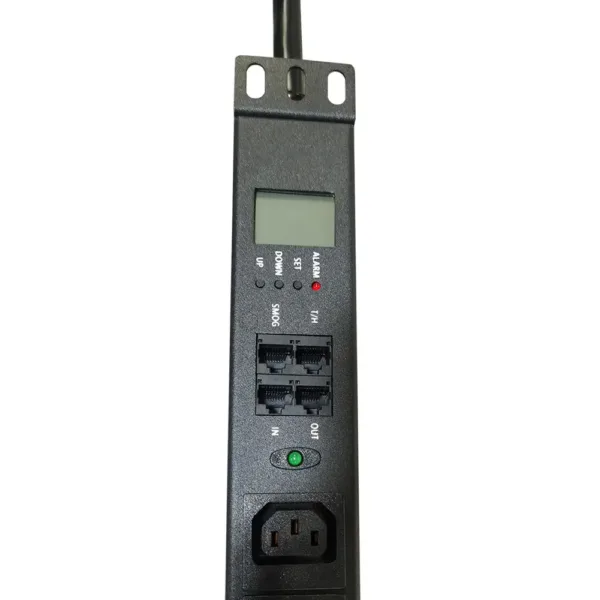
Balanced power supplies contribute to efficient data center operation. YOSUN’s PDUs ensure stable power. Distributed load results in more stable equipment operation and longer lifespan. Studies show that balanced power supplies can improve performance by 25%. PDUs with real-time monitoring capabilities help users quickly resolve power issues, thereby reducing downtime. The table below illustrates how load balancing improves reliability and efficiency:
| Benefit | Description |
|---|---|
| Prevents overloads | Makes sure electrical loads are spread out across outlets. |
| Enhances equipment lifespan | Less wear on parts means equipment lasts longer. |
| Improves overall efficiency | Power is used better and downtime is less likely. |
Overload can lead to equipment damage and operational interruptions. In AI data centers, rapid load changes can cause grid instability, resulting in controller malfunctions and serious system problems. Reliable power distribution units (PDUs) allow users to act quickly in the event of power problems, ensuring equipment safety and minimizing downtime. Balanced loads also protect circuits and maintain system stability. Circuit breakers and surge suppression provide additional protection for sensitive equipment.
Effective load balancing saves energy and reduces costs. Evenly distributing power among PDUs prevents power waste and improves system efficiency. Efficient power consumption not only reduces energy consumption but also benefits environmental protection. Data centers can save costs and reduce their environmental impact by adopting these methods.
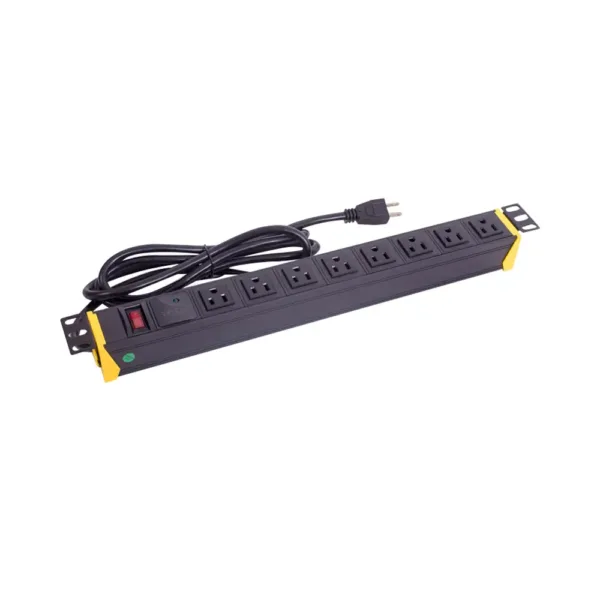
Modern PDUs like YOSUN are equipped with intelligent monitoring tools. These tools collect power data for each outlet and the entire system. Real-time monitoring displays the power consumption of each device. Sensors monitor temperature, humidity, and airflow to ensure safe operation. The system alerts users if a circuit breaker trips or a UPS fails. Security features such as user authentication and encryption protect the system from hacking. Remote management allows users to control the load anytime, anywhere. These features help teams understand power consumption patterns, save energy, and make informed upgrade choices.
By tracking loads at the line, branch, and outlet levels, a clear understanding of power usage can be achieved. Real-time monitoring of the load at each level displays the power consumption of each circuit and device. This helps managers balance loads and plan for the future. Monitoring outlet-level loads helps identify devices with excessive power consumption or malfunctions. This also helps resolve issues quickly and reduce downtime. By monitoring power data, teams can identify peaks and address problems early. This contributes to better energy management and ensures smooth system operation.
Setting safe capacity limits keeps equipment safe and stops overloads. Experts say not to use more than 80% of a PDU’s top current. In places with backup power, each PDU should stay below 40% for safety. Teams should match PDUs to the voltage and amperage the equipment needs. They must add up the wattage of all devices to check if the PDU can handle it. Real-time checks help make sure power use stays safe. By following these steps, managers keep systems safe and avoid expensive downtime.
Data centers require intelligent power sharing. Teams need to plan how to distribute equipment across all outlets and circuits to prevent excessive power concentration in one place, thus ensuring system safety. Intelligent Power Distribution Units (PDUs) allow teams to monitor the power consumption of each device in real time. Administrators can see which devices are consuming the most power and adjust device locations to balance power distribution, thereby saving energy. Remote PDUs allow staff to view power status anytime, anywhere, helping them quickly resolve issues and ensure stable system operation.
YOSUN offers PDUs with overload protection and intelligent monitoring. These tools help teams plan and adjust power sharing methods. Administrators use PDUs at no more than 40% of their rated power, providing additional safety against overload and extending device lifespan. Teams use outlet-level metering to locate high-power points and adjust device locations to maintain power balance, ensuring continuous system operation and reducing downtime.
Tip: Always check the total power use before adding new devices. This helps stop sudden overloads and keeps the system steady.
Three-phase PDU systems are important in big data centers. These systems use three different phases to give out power. Each phase takes some of the total load. This setup saves energy and works better. Three-phase balancing lets the PDU handle more power. It also saves space in racks and on the floor.
Three-phase boxes work well where power needs are big or change a lot. They give steady power and keep things balanced. This makes them better than single-phase systems for factories, offices, and data centers. Teams must spread devices out to stop overloads. This keeps the system safe and working well.
Outlet-level adjustments help teams fine-tune power sharing. Teams put equipment evenly across all outlets. This stops overloads and keeps things from getting too hot. Staff check how much power each device uses. They plan where to put things to keep power even and stop overheating.
Smart PDUs with outlet-level metering show real-time data on voltage, frequency, and load. Teams use this data to keep watching power use. They make changes fast to stop overloads. YOSUN’s PDUs have options for protection, like clear screens and remote alerts. These features help teams act fast if there is a problem.
Best ways to adjust at the outlet level include:
By using these balancing techniques, teams can keep their PDUs safe, efficient, and ready for the future.
Automation solutions help teams effectively control data center power. Intelligent Power Distribution Units (PDUs) allow staff to remotely monitor and control power usage. These tools help staff identify problems early and fix them quickly. Teams can connect PDUs to a dedicated network for remote access. This ensures continued operation even if the main network fails. Automation also simplifies tasks such as updates and changes. A centralized platform allows staff to manage all PDUs from one location. This ensures consistency of rules and saves time.
Manual balancing is still important for pdu care. Teams should check and balance both power feeds often. Staff can use remote tools and sensors to watch power and temperature. These steps help stop downtime and keep gear safe. Teams should keep records and look at them to find weak spots. Surge protection devices give extra safety for sensitive electronics.
Regular audits are key for pdu checks and care. Facility engineers should do audits every month. Each check takes about 45 to 60 minutes. These checks help find problems early and keep things working well.
YOSUN follows strict rules for quality on all products. Their factory has ISO 9001 approval. Products meet GS, CE, VDE, UL, and RoHS rules. These steps make sure every PDU is safe and works well.
Tip: Regular checks and watching power help teams keep systems safe and working right. Good balancing and pdu care stop costly downtime.
Teams can get good PDU power balancing by using the right steps and smart tools. Watching power all the time helps managers see problems early. It also helps them plan repairs before things break. YOSUN is a leader with new ideas like smart power tools, real-time checks, and smart ways to balance loads.To do even better, teams should ask experts like YOSUN for help.
A PDU gives power to many devices in a server room. It helps control and manage power so things stay safe.
Teams need to check power loads once a month. Checking often helps find problems early and keeps equipment safe.
Load balancing keeps devices safe and working well. It stops too much power from going to one place. It also saves energy and helps devices last longer.
Smart PDUs let teams see power use from far away. They send alerts if something is wrong. This helps teams fix problems fast.
Real-time monitoring, alerts, and overload protection help stop overloads. These tools keep systems safe and working well.