Where should PDU go in rack?
Data center and server room administrators face a common question when deploying rack equipment: where should the Power Distribution Unit (PDU) be installed? Improper placement...


+86 15867381241

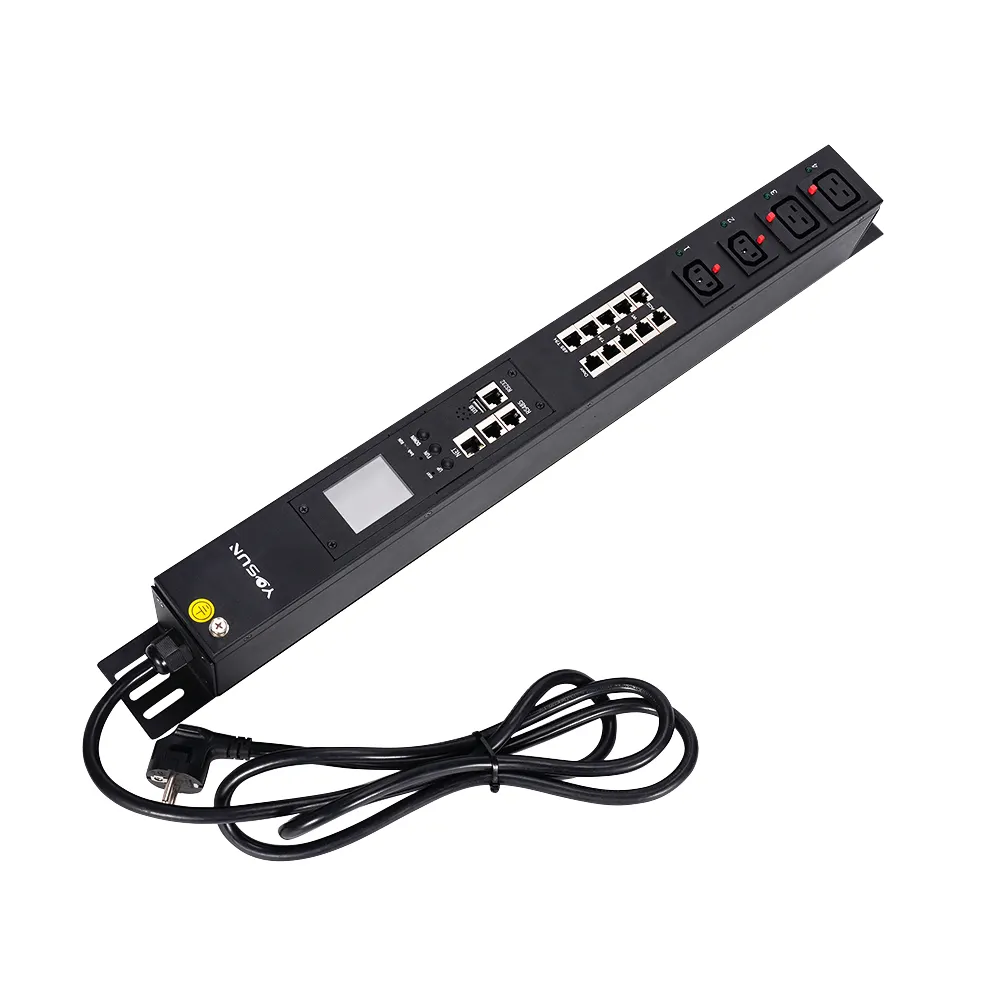
People often ask if a UPS can be directly connected to a PDU (Power Distribution Unit). The answer depends on safety and best practices. Always ensure the power connections are correct. The UPS should be connected to a wall outlet, and the PDU should be connected to the UPS output. This setup ensures equipment safety and a stable power supply. YOSUN offers PDUs to help manage power in server rooms and data centers. Their products support safe power distribution and protect your equipment from power problems.
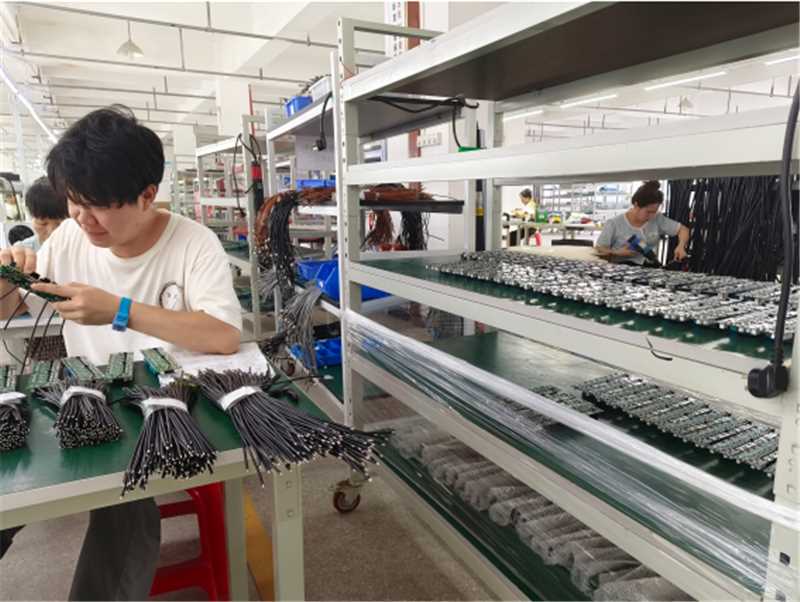
A UPS is a backup power supply for electrical equipment. It starts up when the main power supply fails. Many companies use UPSs to ensure their computers continue to operate. It plays a vital role during power outages. UPSs have many functions:
UPSs are essential in IT systems. They ensure the safe operation of equipment and guarantee service continuity during power problems. There are many types of UPS devices. The following table lists the main types and their functions:
| UPS Type | Description | Use Cases | Limitations |
|---|---|---|---|
| Offline (Standby) | Easiest and cheapest; uses battery if power fails. | Home computers, small office gear. | Not great for sensitive systems; weak voltage control. |
| Line-Interactive | Has battery backup and keeps voltage steady. | Small server rooms, network closets. | Good choice but not perfect for all needs. |
| Online (Double-Conversion) | Always gives power with double conversion; no delay. | Data centers, hospitals. | Costs the most; needs more care. |
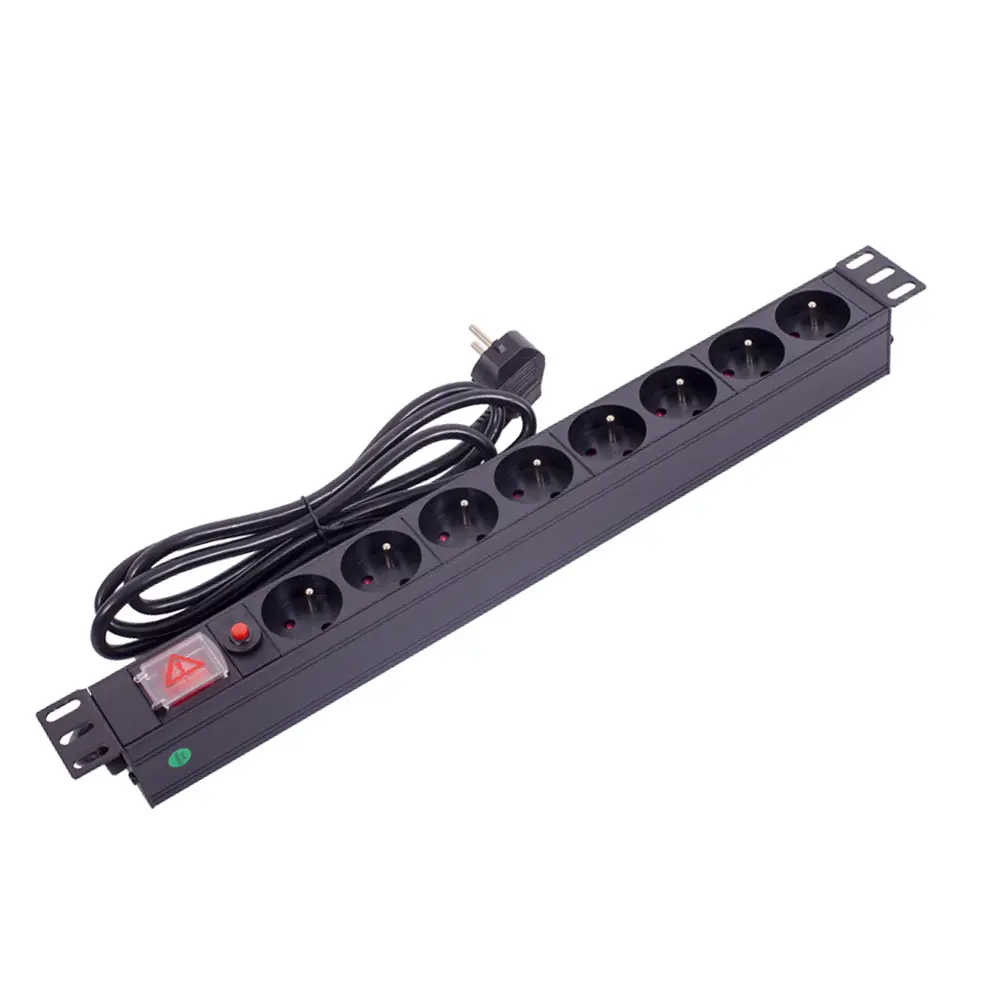
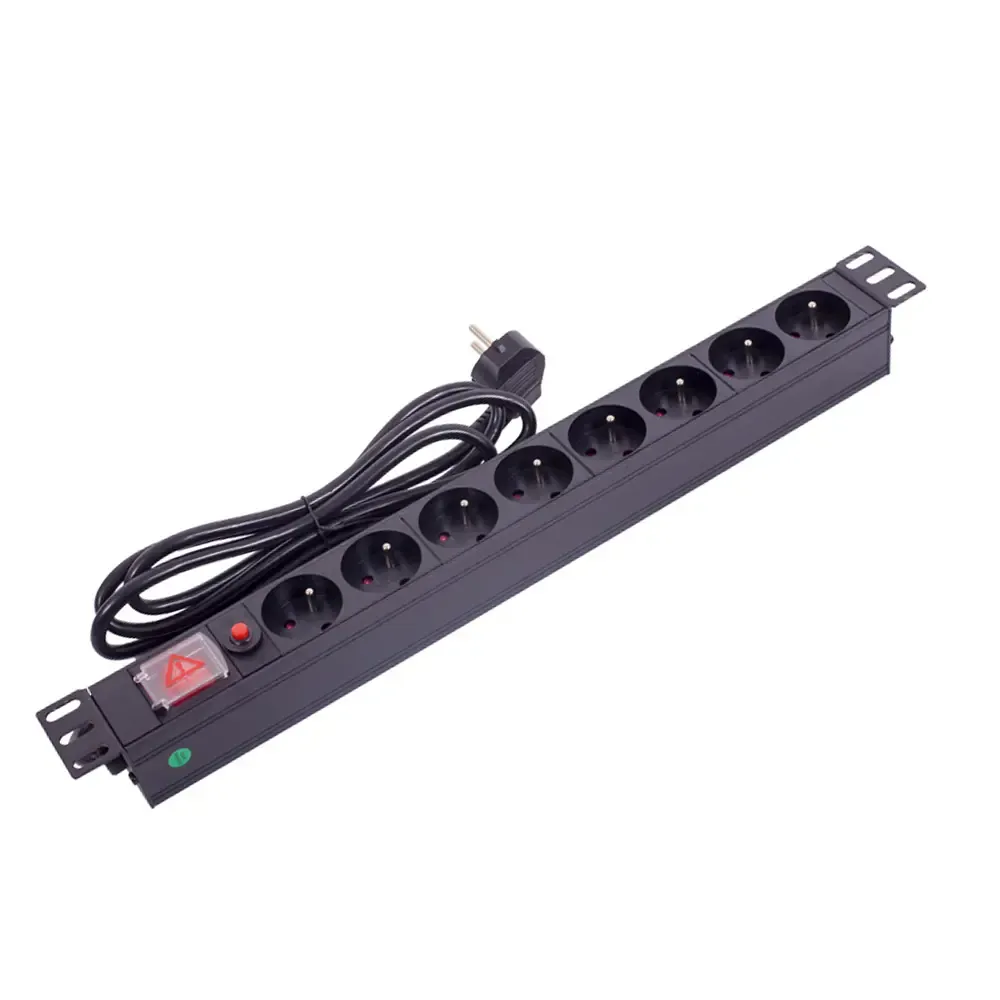
A PDU delivers power to multiple devices in a rack. It makes power management easier in places like server rooms. Key functions of a PDU include:
| Function | Description |
|---|---|
| Power Distribution | Sends power to all devices in a rack, making things simple. |
| Redundancy | Lets you use more than one PDU for backup power. |
| Load Management | Makes sure high-power devices get safe electricity. |
| Monitoring and Control | Watches power use and helps control it better. |
| Backup Power | Gives backup power if something fails, so things keep working. |
There are several types of PDUs. Basic PDUs only output power. Metered PDUs display power consumption. Intelligent PDUs allow you to remotely view and control power. These features help reduce downtime and save energy.
UPS and PDU work together to ensure safe and stable equipment operation. The UPS provides backup power and maintains stable voltage. The PDU powers each device in the rack. This robust and reliable configuration is suitable for critical locations.
UPS and PDU work together to help keep equipment running and prevent data loss. They also make managing the power supply for a large number of devices much easier.
Properly connecting the UPS and PDU is crucial. This ensures your equipment is powered safely and stably. YOSUN’s rack-mount PDU models are rugged, durable, and reliable, making them ideal for server rooms and data centers. Here are the steps to connect a UPS to a rack-mount PDU:
YOSUN PDUs are ISO9001, CE, UL, and RoHS certified. These certifications help ensure safe and reliable power supply.
Safety is paramount when using a UPS with a PDU. YOSUN’s PDUs are constructed of robust aluminum alloy and feature overload protection and remote monitoring. Here are some safety tips:
YOSUN’s smart PDUs support remote power management. They are also equipped with environmental sensors to monitor environmental conditions. These features help ensure system safety.
| Category | Standard/Guideline | Description |
|---|---|---|
| Electrical Safety Standards | UL 60950-1, UL 62368-1, UL 1363, IEC 60950-1, IEC 62368-1, IEC 60320, NFPA 70 (NEC) | Standards that keep electrical equipment and setups safe. |
| Environmental and Performance | RoHS, REACH, ISO 9001 | Rules about dangerous materials and quality control. |
| Mechanical and Design Standards | EIA-310, ASHRAE TC 9.9 | Standards for rack sizes and data center conditions. |
| Connectivity and Interface | IEEE 802.3, IEEE 1100 | Standards for Ethernet and grounding systems. |
| Regulatory Compliance | FCC Compliance | Makes sure devices do not cause bad interference. |
| Application-Specific Standards | TIA-942 | Guidelines for power and design in data centers. |
| Best Practices | Data Center Design Guidelines | Tips for making good and safe power setups in data centers. |
When connecting a UPS to a PDU, check the load and ensure all devices are compatible. YOSUN PDUs can be used with different voltage and current ratings. This helps prevent overload and maintain power stability. The following steps can help you calculate the total load:
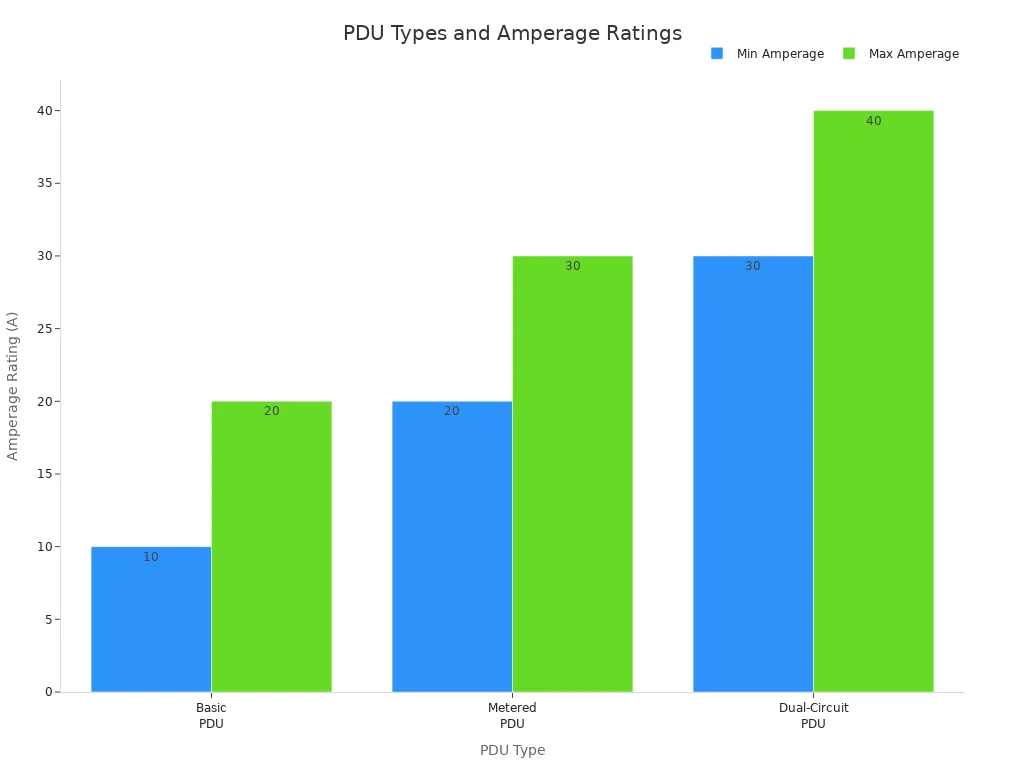
Always check the voltage and current ratings of the UPS and PDUs. The table below shows which PDU types are compatible with the UPS model:
| PDU Type | Compatible UPS Voltage | Amperage Rating |
|---|---|---|
| Basic PDU | 120V or 240V | 10A-20A |
| Metered PDU | 120V or 240V | 20A-30A |
| Dual-Circuit PDU | 120V or 240V | 30A-40A |
To avoid problems, ensure the UPS can handle the load of the PDU and all devices. Always check the voltage and current ratings. Be aware of overload risks. YOSUN PDUs have overload protection and monitoring features. These features help ensure safe and stable system operation.
Tip: Choose a larger capacity PDU for future expansion. This helps prevent overload and makes it easier to add more devices later.
Be careful when connecting the UPS to the PDU. Please use certified products, such as YOSUN rack-mount PDU models. Follow best practices for power and load management. This will ensure your equipment is powered safely and reliably.
People sometimes make mistakes when installing power supplies in server rooms. For example, they might install rack-mounted PDUs in a cramped space, obstructing airflow and causing the equipment to overheat. Some forget to distribute circuit loads, which can lead to overload or even power outages. Technicians should check that each PDU is easily accessible so that problems can be quickly fixed. Regularly inspecting the equipment helps detect damage early. Testing outlets and connections ensures everything is functioning correctly. Keeping cables tidy avoids clutter and accidents.
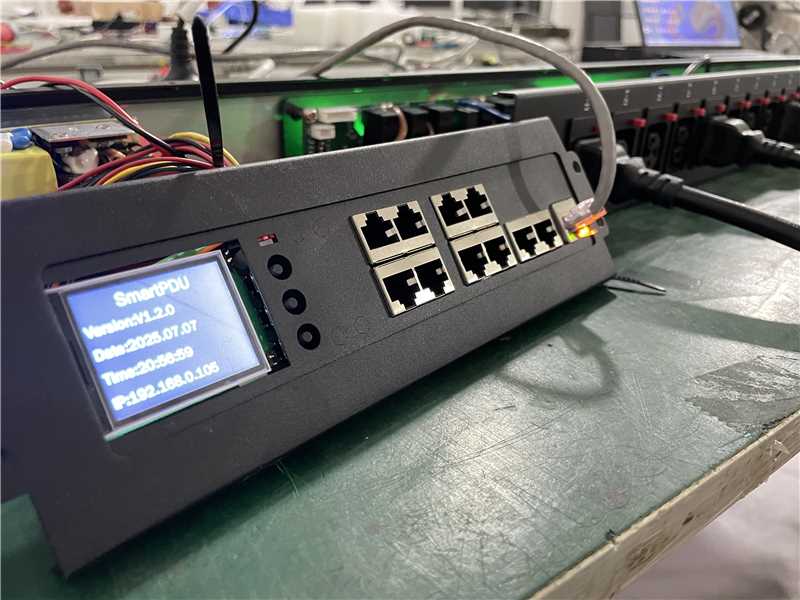
Monitoring systems help ensure the power supply operates safely and reliably. Smart PDU models can alert you when problems occur and track data and events, making it easier to detect and resolve problems before they escalate. Staff can use remote control features to restart equipment from a distance. Battery tools can display battery health and issue warnings for problems. Remote upgrade capabilities ensure firmware is kept up-to-date.
| Best Practice | Description |
|---|---|
| Alerts | Remote Monitoring and Management (RMM) tools inform you of problems so you can fix them quickly. |
| Data and Event Logging | Save UPS data to identify trends and understand the root cause of problems. |
| Control of Equipment | Remotely restart UPS equipment to resolve issues without on-site personnel. |
| Battery Management | Obtain battery health information for early warning and remote checks. |
| Remote Upgrades | Use SNMP to remotely update UPS firmware. |
A comprehensive maintenance plan ensures stable power system operation. Staff should record detailed information and service dates for all equipment. They should check batteries and the equipment room condition annually. Switches require testing and cleaning twice a year. Staff should check equipment for damage and battery voltage monthly. Batteries should be replaced every three to five years.
Planning for expansion equipment in advance helps prevent power problems. The team should calculate the number of outlets needed and allow 25% space for new equipment. They should also estimate the total power required and allow 25% space for upgrades. Choosing scalable PDUs and UPS systems simplifies the expansion process. Additional power paths and balanced loads help prevent overload. Monitoring data helps the team understand when more power equipment is needed. As your IT area expands, using additional systems and modular designs helps ensure all devices remain operational.
Tip: Choose a power distribution solution that scales with your business. This ensures a safe and stable backup power supply for all devices.
Connecting a UPS to a PDU provides safe power to critical equipment. Always connect the UPS to a wall outlet. Then, connect the PDU to the UPS output. Certified PDUs like YOSUN are highly safe and reliable. They also allow you to monitor power in real time. The following table lists the key advantages of certified PDUs:
| Benefit | Description |
|---|---|
| Safety | Complies with strict electrical safety regulations |
| Reliability | Rugged design provides stable power |
| Monitoring | Monitor power usage and send alerts quickly |
| Compliance | Complies with global safe electricity regulations |
Making safe and informed choices helps your system operate well.