Top 10 Power Distribution Unit Manufacturers in the USA
Discover the top 10 power distribution unit manufacturers in the USA, known for innovation, energy efficiency, and reliable solutions for critical industries.


+86 15867381241
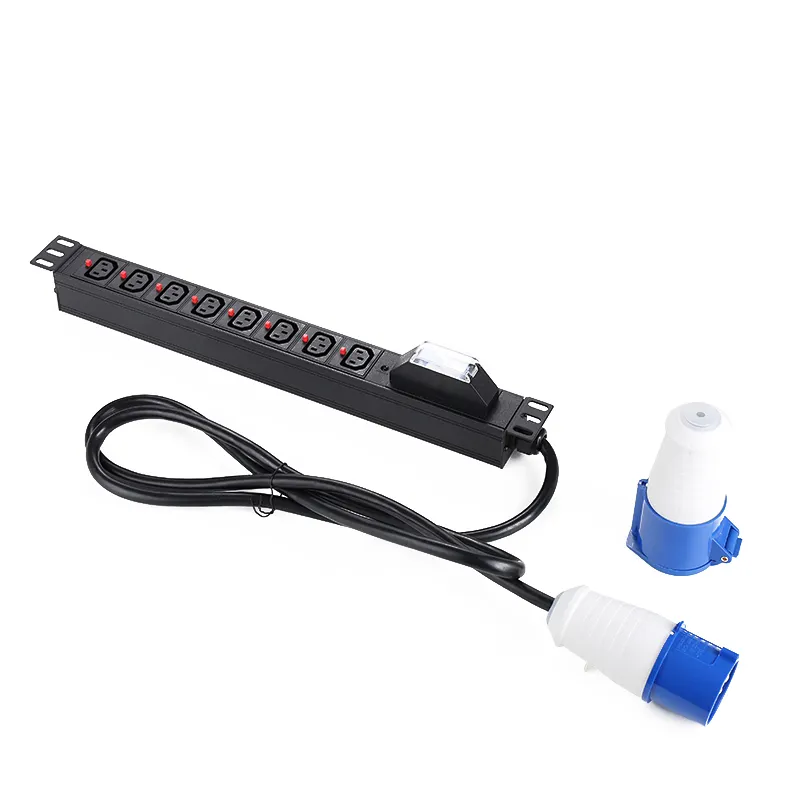
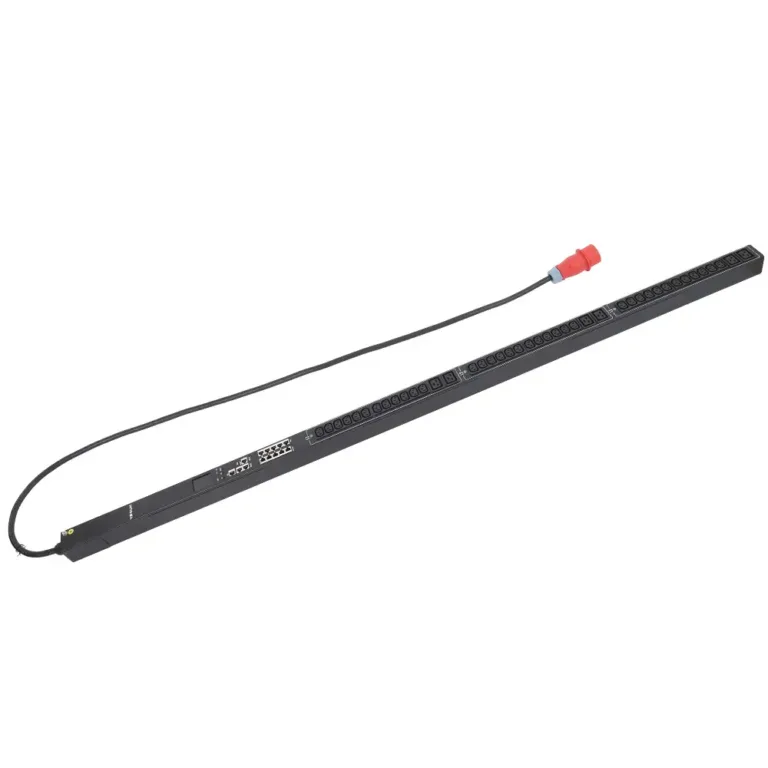
An ats pdu stands for Automatic Transfer Switch Power Distribution Unit. It helps keep power going to important machines. YOSUN is a smart PDU supplier. They make these units for data centers and IT rooms. The ats pdu switches to backup power fast if the main power stops. This keeps systems working without stopping. This device works by itself, not like a switched pdu. Places that use ats pdu units get 25% more reliability. They also have much less downtime when power goes out.
ATS PDUs switch power by themselves. This keeps systems working during power loss.
Extra power sources make things more reliable. This means less downtime in places like data centers.
Special monitoring tools find problems early. This helps protect equipment from harm.
ATS PDUs switch power quickly. This stops big problems and keeps devices running.
Picking the best PDU means looking at power needs. You also check input types and features for best results.
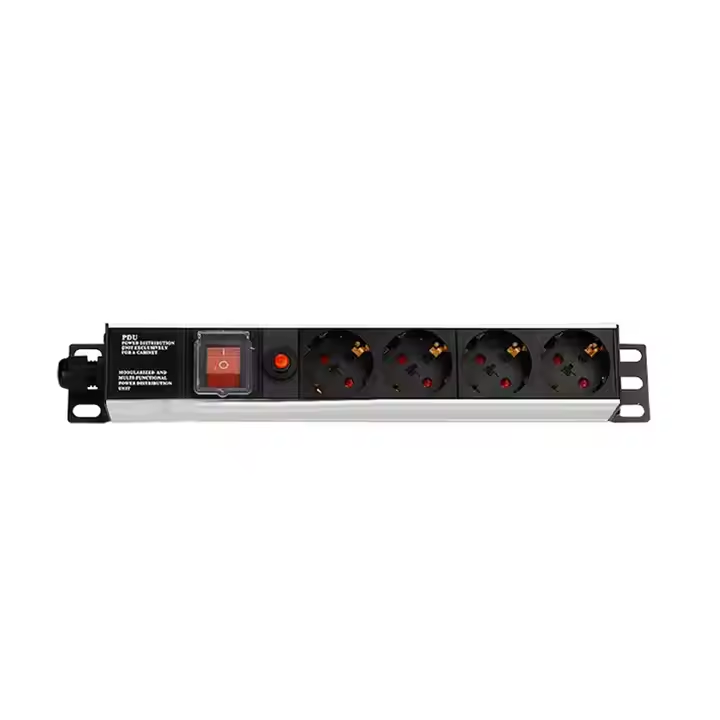
An ats pdu uses an automatic transfer switch. This switch helps equipment keep running. The switch checks the main power all the time. It looks at voltage, frequency, and phase. This makes sure everything works right. The switch also checks the backup power. Backup power can be a generator or a UPS. The system compares both power sources. It picks the one that is safe and stable. If the main power fails, the switch moves to backup power fast. This uses mechanical or semiconductor switches. The switch happens in just a few milliseconds. Equipment does not lose power. The ats pdu keeps watching the backup supply. When the main power comes back, the switch can move back. It only does this if conditions are good.
Tip: The ats pdu makes power changes happen fast and smooth. This helps protect important devices from shutting down suddenly.
Redundancy means having more than one power source. The ats pdu uses a + b power feeds. This gives equipment two ways to get electricity. This setup is called redundant power. If one feed stops, the other keeps things running. The ats pdu combines two power units in one chassis. This design helps keep uptime high in important places. Data centers need this kind of setup. Redundant power protects equipment from failures. It also lowers the risk of downtime. The switch moves power from main to backup instantly. This smooth operation keeps systems safe and working.
Feature | Description |
|---|---|
N+1 Redundancy | If one power fails, the other keeps power going. |
Automatic Transfer Switching | Switches from main to backup feed during a failure. |
Independent Electrical Feeds | Gives a reliable backup and lowers downtime risks. |
Dual feed pdus help keep systems online.
They protect devices from power problems.
They help data centers and IT rooms work well.
The ats pdu is great for fast switching and failover. YOSUN ats pdu models switch power in 2 to 5 milliseconds. This speed means users do not notice power loss. The automatic transfer switch keeps equipment running. It works even if the main power fails. The ats pdu uses a + b power feeds. This makes sure there is always backup power. Redundancy is important for places that need uptime. The switch works fast to stop downtime. YOSUN’s fast switching matches industry standards.
Feature | YOSUN ATS PDU | Industry Standard ATS PDU |
|---|---|---|
Rapid Switching Capability | Yes | Yes |
Uninterrupted Power Supply | Yes | Yes |
Automatic Source Switching | Yes | Yes |
The ats pdu keeps systems safe by switching power fast.
Redundant power and a + b feeds help stop interruptions.
Automatic transfer switching helps important applications.
YOSUN power distribution units have two power feeds. This gives equipment two ways to get electricity. If one feed stops, the other starts right away. This keeps systems working all the time. The automatic transfer switch does the switching by itself. People do not need to do anything. This setup helps protect important devices from power trouble. It helps them last longer. Two power feeds help keep things running during power failures. They lower the chance of downtime in important places. Many data centers and IT rooms use these units because they are reliable and steady.
Two power feeds give backup for important systems.
The automatic transfer switch changes power sources instantly.
Keeping systems running helps devices last longer.
YOSUN power distribution units have smart monitoring features. These features help people watch power use and keep equipment safe. Sensors check temperature and humidity. If it gets too hot or wet, the system warns staff. This stops damage to IT equipment. Real-time monitoring shows how much power each device uses. People can see problems before they happen. Smart units also check circuit breakers and send alerts if one trips. This helps fix problems quickly. Power analysis gives data about voltage, current, and energy use. This helps data centers use energy well and keep things safe.
Sensors protect against heat and moisture.
Real-time monitoring stops overloads and keeps things safe.
Smart alerts and power data help quick fixes and better use.
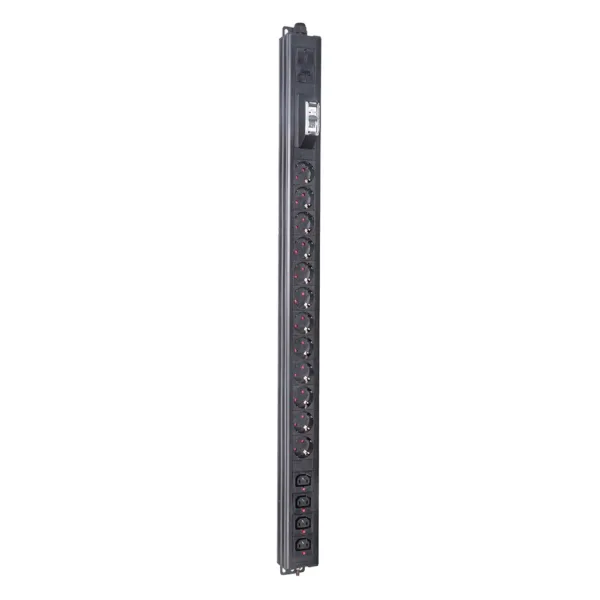
YOSUN units can be set up in different ways. They fit standard 19-inch racks and work with many outlet types like IEC C13 and C19. This makes them easy to use with different devices. The units also work with many input plugs and amperage ratings. Users can pick what fits their needs.
Aspect | Description | Impact on Compatibility |
|---|---|---|
Output Outlet Types | IEC C13, IEC C19 | Makes sure equipment plugs fit |
Input Plug Types | NEMA, IEC, 100V-415V | Matches the power source |
Amperage Ratings | 20A, 30A | Stops overheating |
YOSUN units meet tough safety and quality rules. They have certifications like ISO9001, CE, UL, and RoHS. These show the units are safe and reliable everywhere.
YOSUN also makes custom pdu solutions for special needs. These choices help users get the right setup for their equipment.
Note: Certified power distribution units help keep things safe and working well in any place.
ATS PDUs help keep important systems working. They use an automatic transfer switch. This switch moves power from the main source to backup in milliseconds. Fast switching protects servers and network devices. It also keeps storage units from shutting down suddenly. YOSUN ATS PDUs give high reliability with extra power supply. Data centers and IT rooms use these units to stop interruptions. If the main power fails, the ATS PDU switches to backup right away. This feature keeps uptime going and protects equipment.
Note: Reliable power switching helps groups avoid losing money and data.
IT rooms need steady power for daily work. ATS PDUs lower downtime by switching power sources fast. Regular PDUs cannot do this job. The built-in automatic transfer switch in ATS PDUs keeps equipment powered during outages or repairs. Quick switching stops problems and keeps systems online. YOSUN ATS PDUs make businesses more reliable when they need nonstop service.
ATS PDUs do many jobs in data centers and other important places. They help with backup power systems and meet tough reliability needs. Common uses include:
Resilience and uptime: ATS PDUs guard against power surges and equipment problems, keeping systems working.
Power-saving: Special relays save energy and cut down CO2.
Space-saving: ATS PDUs link many devices, making space for more IT gear.
Optimizing sustainability: These units watch and control power use to boost efficiency.
Real examples show how ATS PDUs help:
Case Study | Description |
|---|---|
Maximize Uptime with ATS PDUs | Shows how ATS PDUs keep things running by switching to backup power when the main source fails. |
Extending Speaker Life at a Major MLB Stadium | Tells how SynLink Smart PDUs made equipment last longer and saved energy in a big stadium. |
Mission-Critical Data Centers Expertise | Explains how branch circuit monitoring tracks power use in real time on working PDUs. |
ATS PDUs help groups stay reliable and protect key systems. YOSUN products give strong performance in every use.
Many data centers use power distribution units to keep things running. ATS PDU is special because it can use more than one power input. Most regular PDUs only have one input. ATS PDU can switch power sources in just a few milliseconds. Regular switched PDUs cannot do this by themselves. ATS PDU also lets staff watch power use in real time. This helps them find problems early. Both types protect against too much power and let you pick how many sockets you need. The table below shows how they are different:
Feature | ATS PDU | Ordinary PDU |
|---|---|---|
Power Input | Supports multiple inputs | Single input |
Power switching speed | Millisecond level | Switching is not supported |
Monitoring Function | Supports real-time monitoring | Not supported |
Overload protection | Supported | Supported |
Number of sockets | Flexible quantity | Flexible quantity |
Tip: ATS PDU keeps systems working during power loss. Ordinary PDUs might not protect equipment if power fails.
Metered PDUs show how much power is used on a small screen. Staff can check the load by looking at the meter. Metered PDUs do not connect to the internet or send alerts. They also cannot track power use over time. Monitored PDUs, like ATS PDU, let staff check power from anywhere. They show voltage, power, frequency, and load levels online. These units save old data and send alarms if something goes wrong. This helps fix problems before they stop equipment.
Metered PDUs let you see power use on a meter.
Monitored PDUs let you check power online and get alerts.
Picking the right unit means thinking about a few things. First, figure out how much power your equipment needs now and later. Next, pick the type of input power, like single-phase or three-phase. Make sure the unit has the features you want, like basic or advanced monitoring. Decide which PDU type fits your job best. Think about how you will install it, like sideways or up and down.
Figure out how much power you need now and later.
Pick the input power type for your setup.
Make sure the unit has the features you want.
Choose the PDU type that fits your needs.
Think about how you will install the unit.
Note: ATS PDU is best for places where uptime and monitoring are very important.
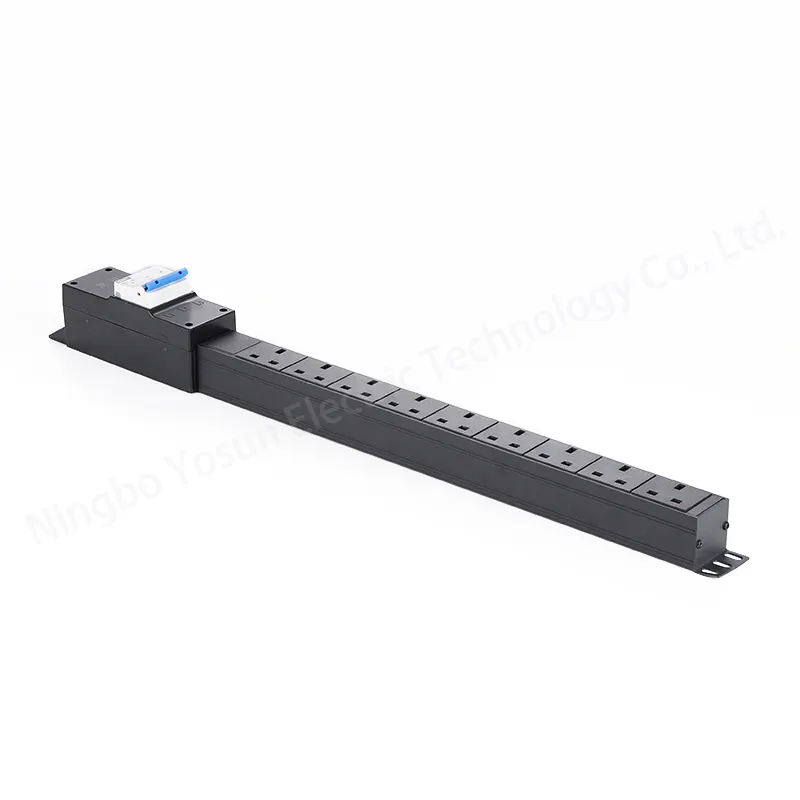
When you install an ATS PDU, safety comes first. Technicians get their tools ready and look for dangers. They turn off the main power before they start. It is important to have dry hands and a clean area. This helps stop accidents from happening. Technicians take out old cables and things not being used. They use a flashlight to check the rack. They make sure the holes for mounting are in the right place. YOSUN ATS PDUs are small and easy to put in. They fit well in standard 19-inch racks. This makes them work with many setups. After putting in the unit, technicians plug in devices. They check that all cables are tight and safe. They pick the right PDU so nothing gets too much power. Watching power use often helps stop problems.
Tip: Always change any broken cables or outlets before you start. This keeps everything working safely.
Setting up an ATS PDU helps it work its best. For equipment with one cord, the PDU keeps power on. A maintenance UPS bypass lets power go straight to devices during repairs. This means you do not have to turn off the devices. Using two UPS units gives backup power. Remote management lets people watch the PDU from anywhere. The fast switch stops power cuts. Out of phase transfer keeps equipment safe when power sources change. You can turn off some outlets to save power and keep uptime high. These choices help make sure the ATS PDU works safely and well.
Taking care of an ATS PDU keeps things running well. Technicians test the backup switch by pretending the power goes out. Watching the PDU all the time shows how much power is used. Looking at data helps plan for the future. Checking often finds rust or broken wires early. Technicians update the software and test the control panel. They look at circuit breakers for power spikes. They make sure surge protectors are working. Filters or dust covers help keep the unit clean. The table below lists common problems and how to fix them:
Challenge | Solution |
|---|---|
Overloading Risks | Accurate load calculation and regular monitoring |
Compatibility Issues | Check specs for installation and compatibility |
Maintenance Needs | Schedule inspections and upkeep |
Note: Checking and caring for the PDU often helps it work safely for a long time.
YOSUN ats pdu units help data centers and IT rooms work well. They have two power feeds and switch power by themselves. This keeps equipment safe from losing power. The table below show how these features help systems stay on and reliable:
Feature | Benefit |
|---|---|
Power Redundancy | Two power sources make systems more reliable. |
Minimized Downtime | Keeps things running if the main power fails. |
Enhanced Equipment Protection | Gives steady power to sensitive devices. |
Operational Efficiency | Makes it easier to manage with monitoring tools. |
Many people say these units are easy to set up. They also protect against too much power and have fewer problems. YOSUN has safety and quality certifications like ISO9001. Picking an ats pdu helps keep important systems safe and running all the time.
ATS stands for Automatic Transfer Switch. This switch lets the PDU change where power comes from. It keeps things working if the main power stops.
YOSUN ATS PDUs switch power in 2 to 5 milliseconds. This quick switch keeps devices on with no pause.
YOSUN ATS PDUs fit in standard 19-inch racks. They work with many outlets like IEC C13 and C19. This makes them simple to use in most data centers.
Data centers use ATS PDUs to keep servers and networks running. These units give backup power and help stop downtime when power goes out.
Certification | Description |
|---|---|
ISO9001 | Quality management |
CE | European safety |
UL | U.S. safety |
RoHS | Environmental safety |
Certified units help keep equipment safe and follow safety rules.